
Moving from Strava
Bring your whole Strava history with you
Strava gives you an archive of your account on request. Upload it to PaceTrack and every year of workouts lands in your calendar — tracks, photos and videos included.
No Strava password, no access to your account: we only take the archive file Strava emails to you. PaceTrack doesn’t sync with Strava — this is a one-time import.
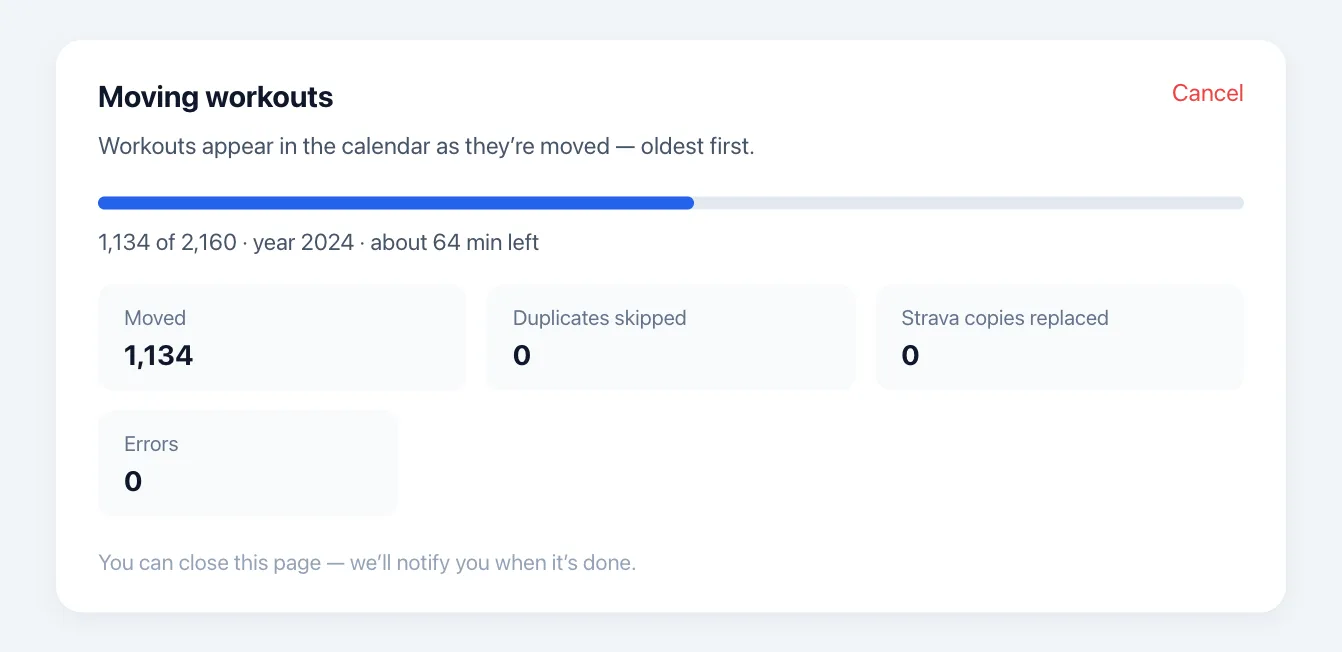
This is what the import looks like: how many workouts are already in your calendar and which year is being moved.
8 GB
maximum archive size
20,000
workouts in one import
~30/min
import speed
0 duplicates
what you already have stays put
What comes along, and what stays on Strava
We move
- ✓ Tracks, distances, time and pace
- ✓ Titles and descriptions — a description becomes the workout report if there isn’t one yet
- ✓ Perceived effort (RPE) and private notes
- ✓ Gear — shoes and bikes, with their mileage if you agree to it
- ✓ Photos and videos that Strava put into the archive
- ✓ Race marks — PaceTrack suggests candidates, you confirm them
We don’t move
- — Kudos, comments and followers
- — Segments and their leaderboards
- — Routes
- — Your profile, login history and settings — PaceTrack doesn’t even read those files in the archive
Workouts already in PaceTrack — from a watch, another service or an uploaded file — stay exactly as they are: their copies from the archive are skipped.
Three steps
01
Request the archive on Strava
On strava.com from a computer or a phone browser — the Strava app doesn’t have this option. The email with the link usually arrives within an hour, up to a day for large accounts. The link lives for seven days.
- Settings → “My Account”
- “Download or Delete Your Account”
- Step 2 — “Request Your Archive”
- Wait for the email from Strava with the ZIP link
02
Upload the ZIP to PaceTrack
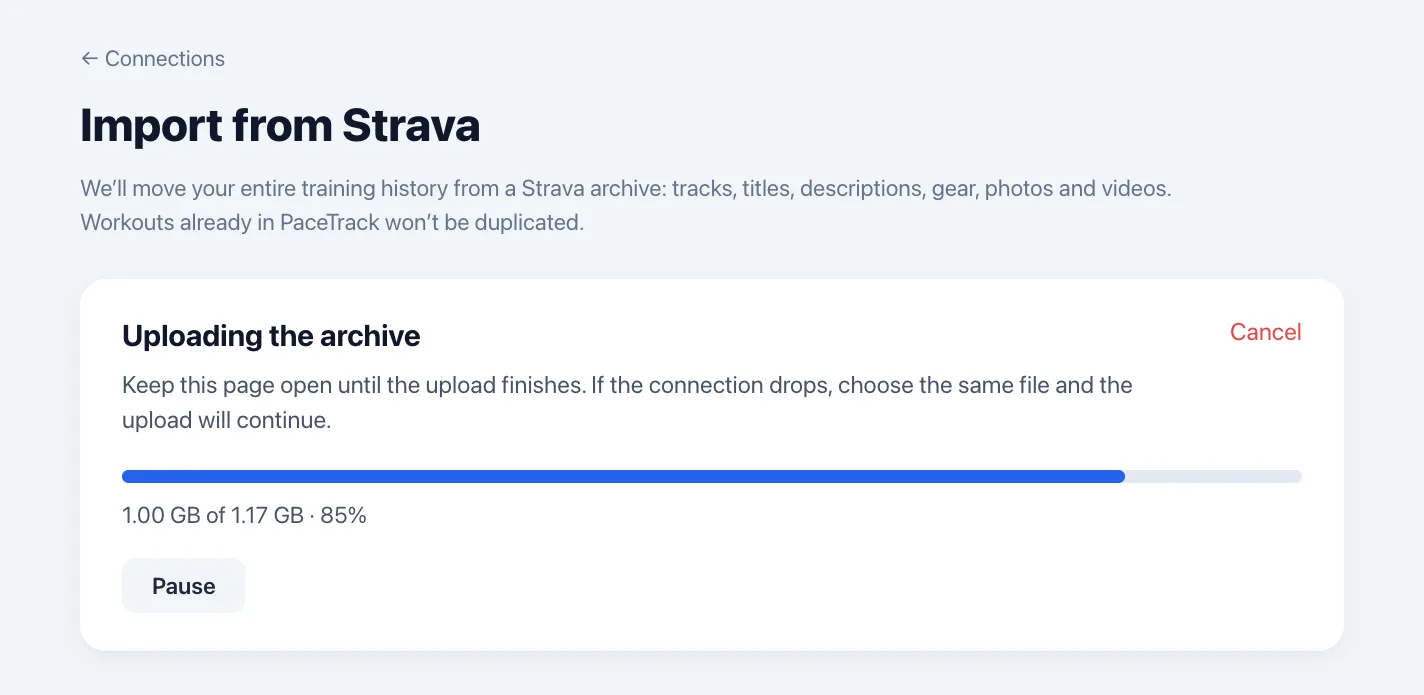
The Connections page → the “Upload workout” block → the “Import from Strava” card. The archive goes to the server in parts: you see the progress and can pause it. If the connection drops, pick the same file and the upload continues where it stopped.
03
The rest happens on its own
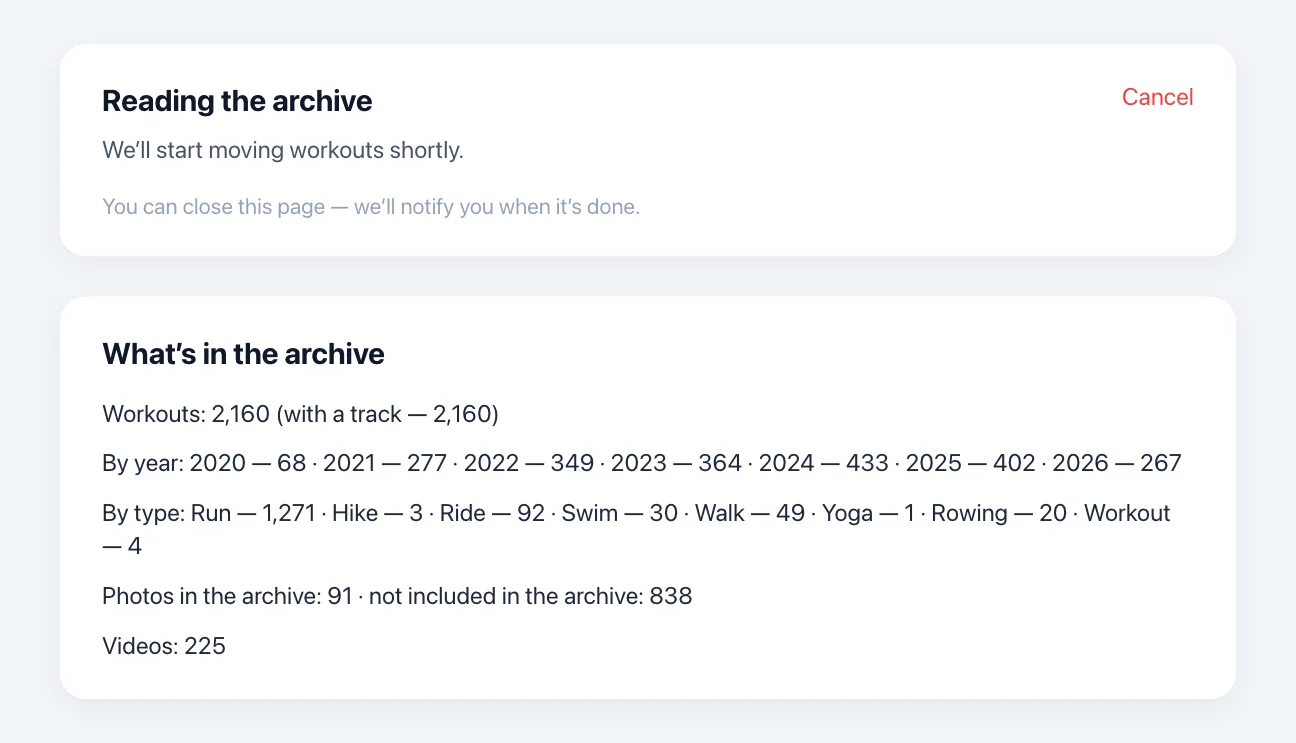
PaceTrack reads the archive and shows what’s inside: workouts by year and by sport, how many photos and videos. Then it starts moving them, oldest first. You can close the page — we’ll notify you when it’s done.
Common questions
How long does it take? +
The upload depends on your connection: a one-gigabyte archive over home Wi-Fi takes minutes. The import itself runs at about thirty workouts a minute, so two thousand workouts take roughly an hour. You don’t have to sit and watch — we send a notification when it’s done.
Do I need a paid Strava account? +
No. Strava gives the account archive to every user; no subscription is needed for it.
What if some workouts are already in PaceTrack? +
They stay as they are and their copies from the archive are skipped — you won’t end up with the same workout twice. One case is different: copies that once came from the old Strava sync are replaced by the originals from the archive, and your ratings, reports, edits, photos and public links are kept. The summary after the import shows both how many duplicates were skipped and how many copies were replaced.
What happens to the archive afterwards? +
We delete it from the server as soon as the import is over. If you cancel before the first workout is moved, the archive goes immediately; if some workouts are already in, it goes once your records and analytics have been recalculated. The personal files in the archive — profile, login history, settings — are never read by PaceTrack.
Can I import only part of my history? +
Yes. Before the upload you can set a “from” and “to” date — leave them empty and we’ll move everything.
My Strava link expired — what now? +
Request the archive again the same way; Strava issues it as many times as you like. If you press “I’ve requested the archive” on the import page, PaceTrack reminds you both when the email should have arrived and before the link expires.
Move in with your history
Years of training are your fitness, your records and your memory. Bring all of it over in one evening.
Start the import